Slop Viewermdv, for macOS 15 and later
A file viewer that started with Markdown. It still draws Markdown best, natively and without a web view, and now reads code, config, certificates and raw bytes as well.
Works best with Slop Commander, the file manager that opens its files here.

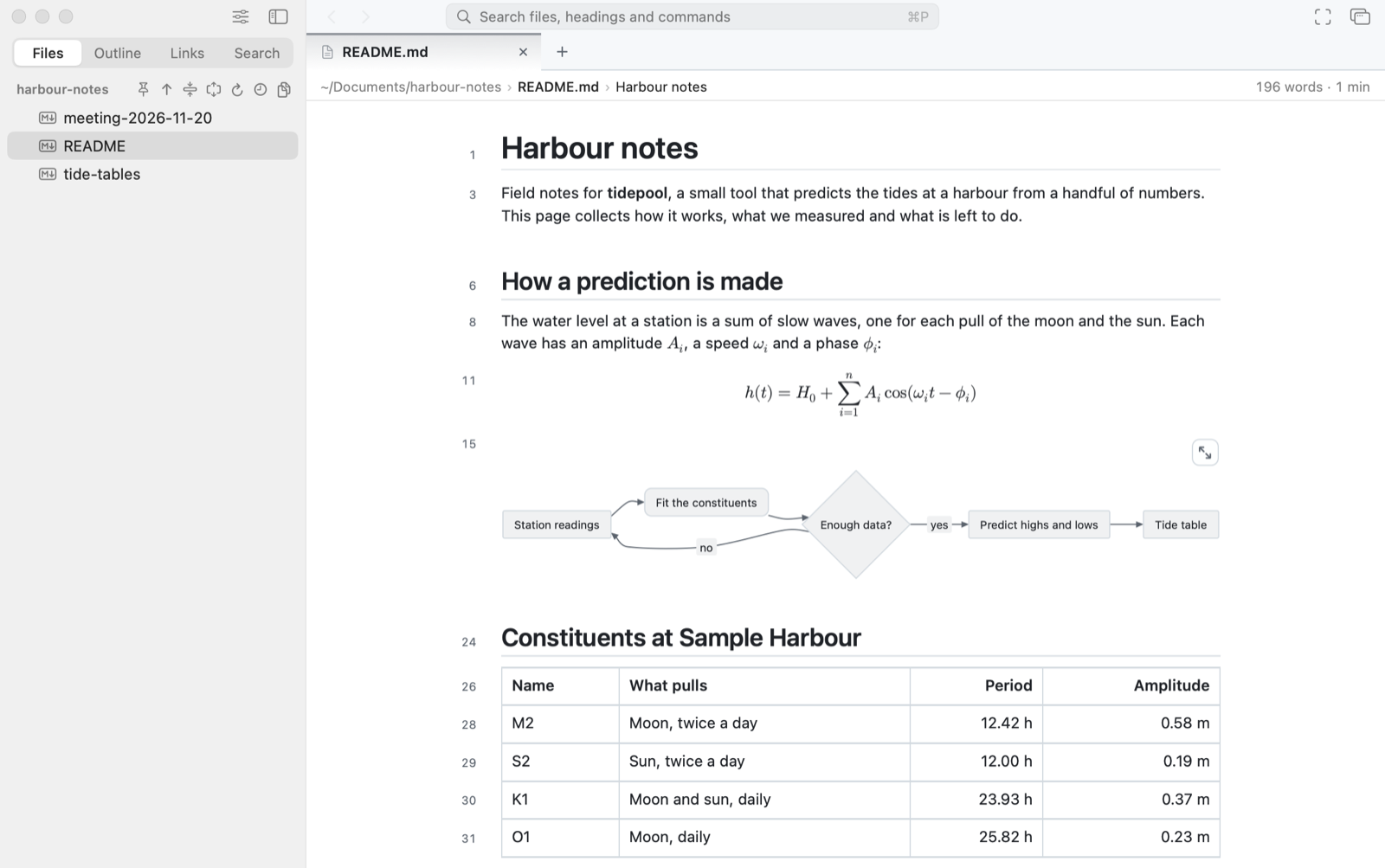
Markdown, drawn natively
GitHub-flavored Markdown without a web view: tables, task lists, code in color, math, and Mermaid diagrams that mdv lays out itself.
The sidebar holds the folder's files, the outline, the links and search. Links between files open in tabs, with Back and Forward.
⌘P files, headings, commands · ⌃⌘S sidebar · ? all keys
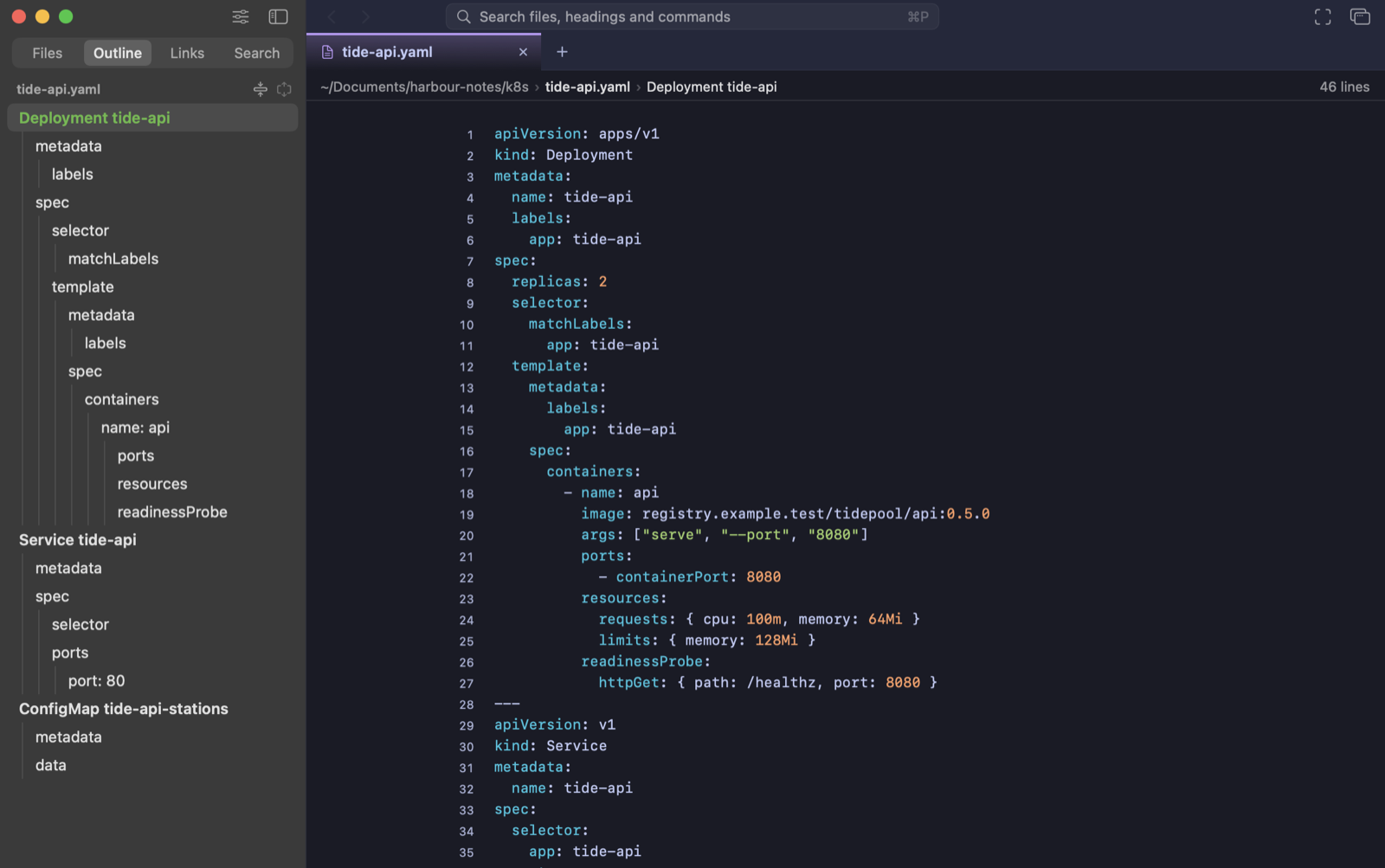
Code and config
YAML, JSON, Go, Rust, Python, Terraform, SQL and many more, in color with an outline and folds. A Kubernetes file's documents are titled by kind and name.
Minified JSON or XML lays out again with Show Reformatted; the file itself isn't touched.
⌥⇧⌘F reformat · ⌥⌘← ⌥⌘→ fold
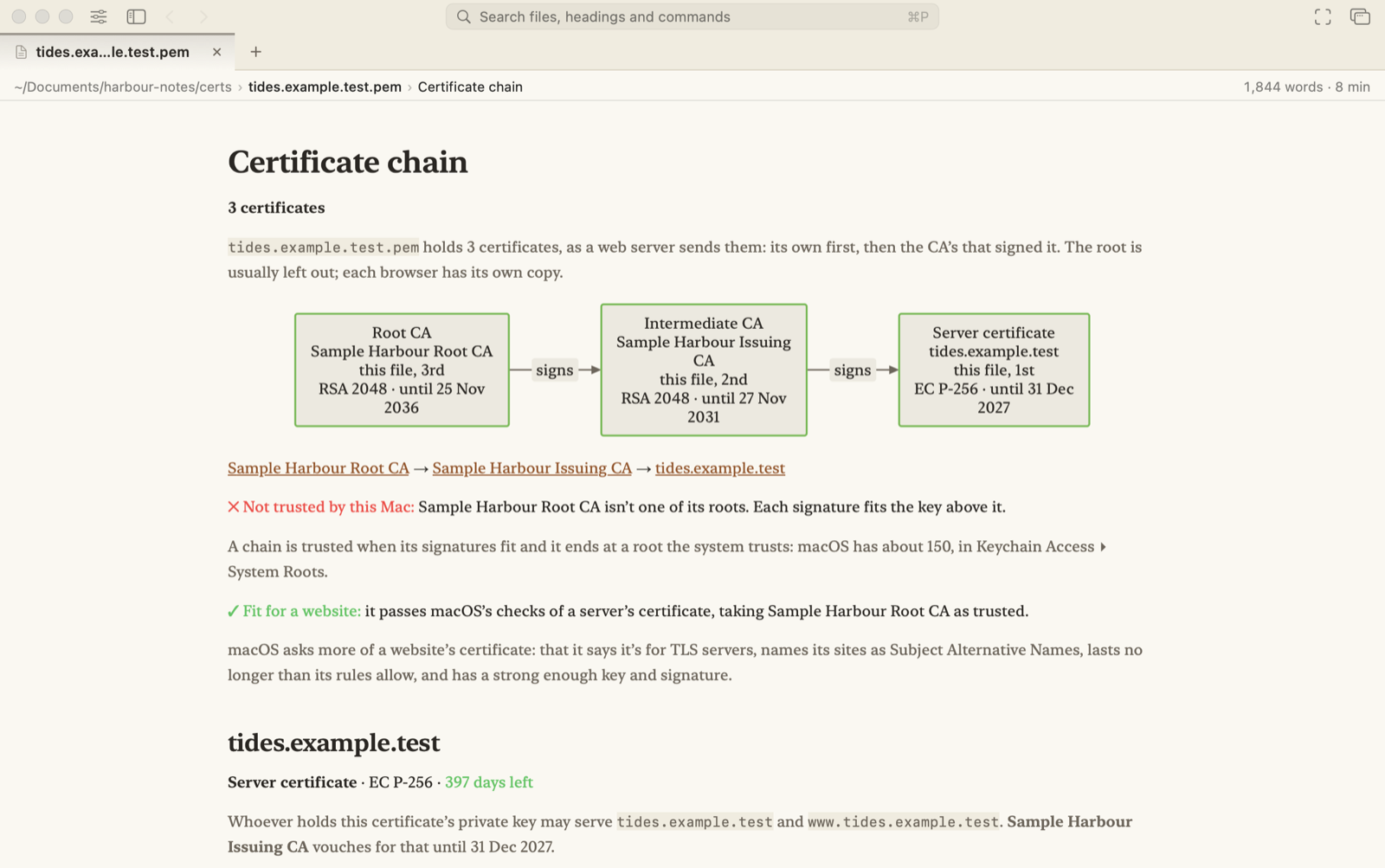
Certificates and keys, explained
Open a .pem, .crt, .csr, an SSH key or authorized_keys, and mdv says who it's for, who vouches for it, when it runs out and what it may do, each field in plain words.
A chain is drawn from its root, with whether your Mac trusts it and why not. Private keys show their size, never the secret.
⌥⌘U show the source
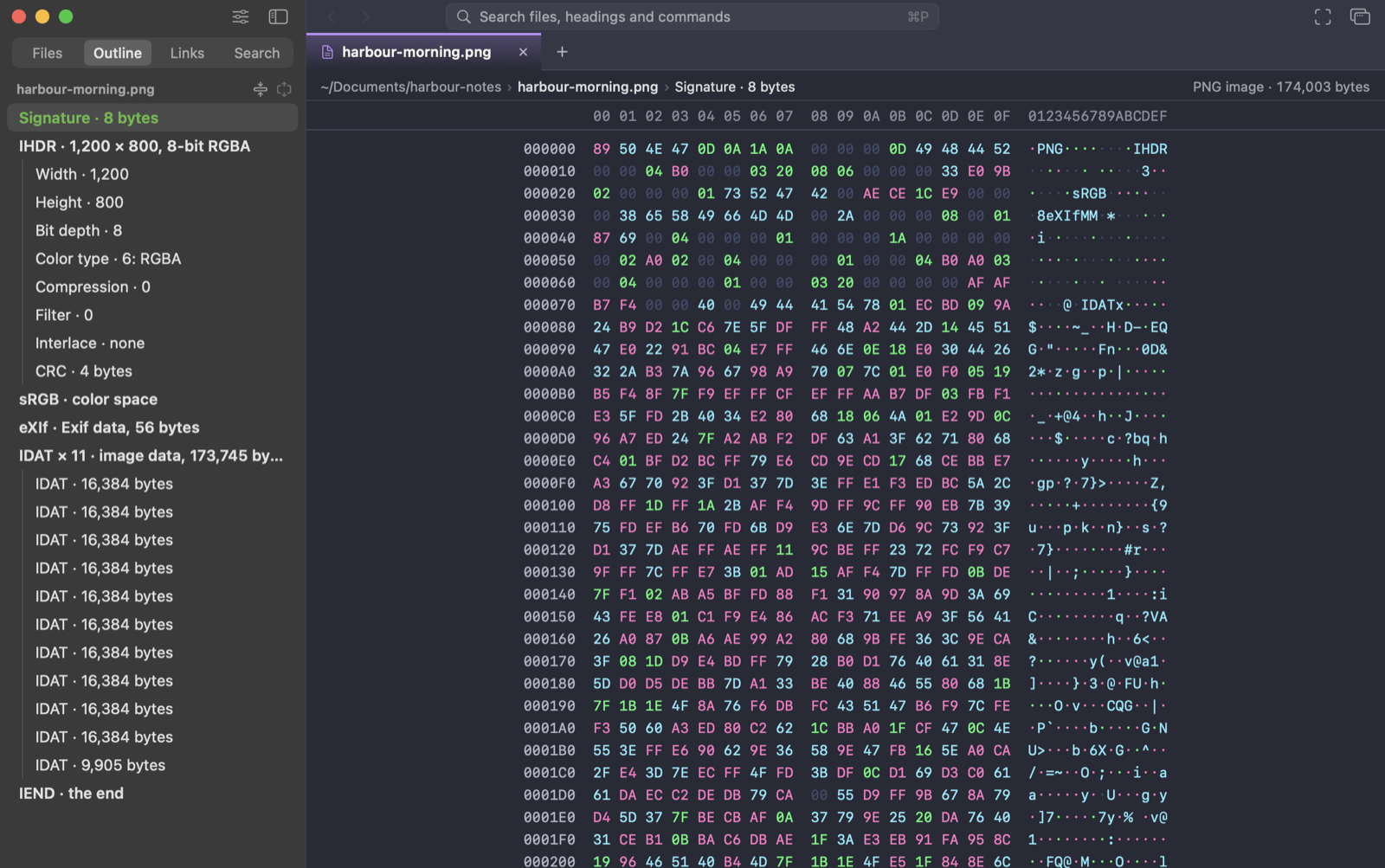
Anything else, as bytes
A file that isn't text opens as a hex dump with its parts named: a PNG's chunks, a SQLite file's pages and tables.
Select bytes to read them as integers, floats or text, search for a pattern, or jump to an offset.
⇧⌘B show bytes · / search
| Name | What it does | Key |
|---|---|---|
| Themes | Sixteen, each in light and dark. Slop Commander can follow the one you pick. | |
| Diagrams | Mermaid flowcharts, sequence, state, class, ER, Gantt, pie, mind maps and git graphs. | |
| Tabs | Pinned tabs, two tabs side by side, and last time's tabs back on the next launch. | ⌘T |
| mdv | The command: mdv notes.md, mdv App.java:120, mdv notes.md#usage, mdv ., or piped text, kubectl get deploy x -o yaml | mdv. | |
| Quick Look | Space in Finder shows Markdown, code and JSON in your mdv theme, and other files as bytes. | |
| Focus | Just the page, nothing around it. | ⇧⌘F |
| Vim keys | If you want them: j k, gg G, / to search, f for link hints. | |
| Code font | SF Mono, JetBrains Mono (it comes with mdv) or any monospaced font on your Mac. |
mdv only reads: it never changes the files it shows.
mdv 0.1
- Unzip it and move mdv to Applications.
- It's signed ad hoc, not notarized by Apple, so macOS stops the first launch. Clear the download flag:
or open it once, then choose Open Anyway in System Settings › Privacy & Security.xattr -dr com.apple.quarantine /Applications/mdv.app - For the
mdvcommand, link it from a folder on your PATH:ln -s /Applications/mdv.app/Contents/Helpers/mdv ~/.local/bin/mdv - Finder's previews come from an extension inside the app. If Space doesn't show them, turn mdv on under Quick Look in System Settings › General › Login Items & Extensions.
Every release: github.com/iviv/slopviewer.xyz/releases

Slop Commander
A two-panel file manager in the spirit of Norton Commander and FAR, made alongside mdv. Browse there, read here:
- Its quick view and F3 preview draw your Markdown with mdv's Quick Look extension, math and diagrams included.
- ⌥F3 or Open with mdv sends the file under the cursor to mdv, or a folder to mdv's files sidebar.
- Its panels wear your mdv theme and change when you change it here, so a file looks the same in both.
slocopens a folder there,mdvopens a file here.